---
title: Financial Reporting Software for CFO Teams | Wrepit
description: Financial reporting software that helps CFO teams produce annual and interim reports faster. Compliance built in. Trusted by 60+ Norwegian companies.
image: https://wrepit.net/hubfs/nyword.png
---
[](https://wrepit.net)
- [Case Studies](https://wrepit.net/case-studies?hsLang=en)
- Resources
### [Blog The latest industry news, updates and info](https://wrepit.net/blog?hsLang=en)
### [Security The most frequently asked questions about security and privacy](https://wrepit.net/faq/security?hsLang=en)
### [Contact](https://wrepit.net/book-a-demo?hsLang=en)
### [Features Learn about our key features](https://wrepit.net/features?hsLang=en)
### [Who are we?](https://wrepit.net/about-us?hsLang=en)
- [Contact](https://wrepit.net/contact?hsLang=en)
[Sign in](https://portal.wrepit.net) [Get a free demo](https://wrepit.net/book-a-demo?hsLang=en)
# The lean reporting year
Annual and interim reports, produced **in-house**. Design is automatic, ESEF is handled on the annual — and there is **nobody to wait for**.
[Request a demo](https://wrepit.net/book-a-demo?hsLang=en) [See customer reports](https://wrepit.net/features?hsLang=en)
DISCLOSURE MANAGEMENT
## Reporting teams of one to three run the whole cycle here
*One to three people carry the entire cycle in Wrepit - annual, half-year and quarterly - without designers, consultants or an IT project. Less outside spend, fewer handovers, and no queue between a late change and a published report.*
[Learn more in our case studies →](https://wrepit.net/case-studies?hsLang=en)
- 
- 
- 
- 
- 
- 
- 
- 
- 
- 
- 
- 
- 
- 
- 
- 
- 
FOUR THINGS THAT MAKE A REPORTING YEAR LEAN
### Auto Design
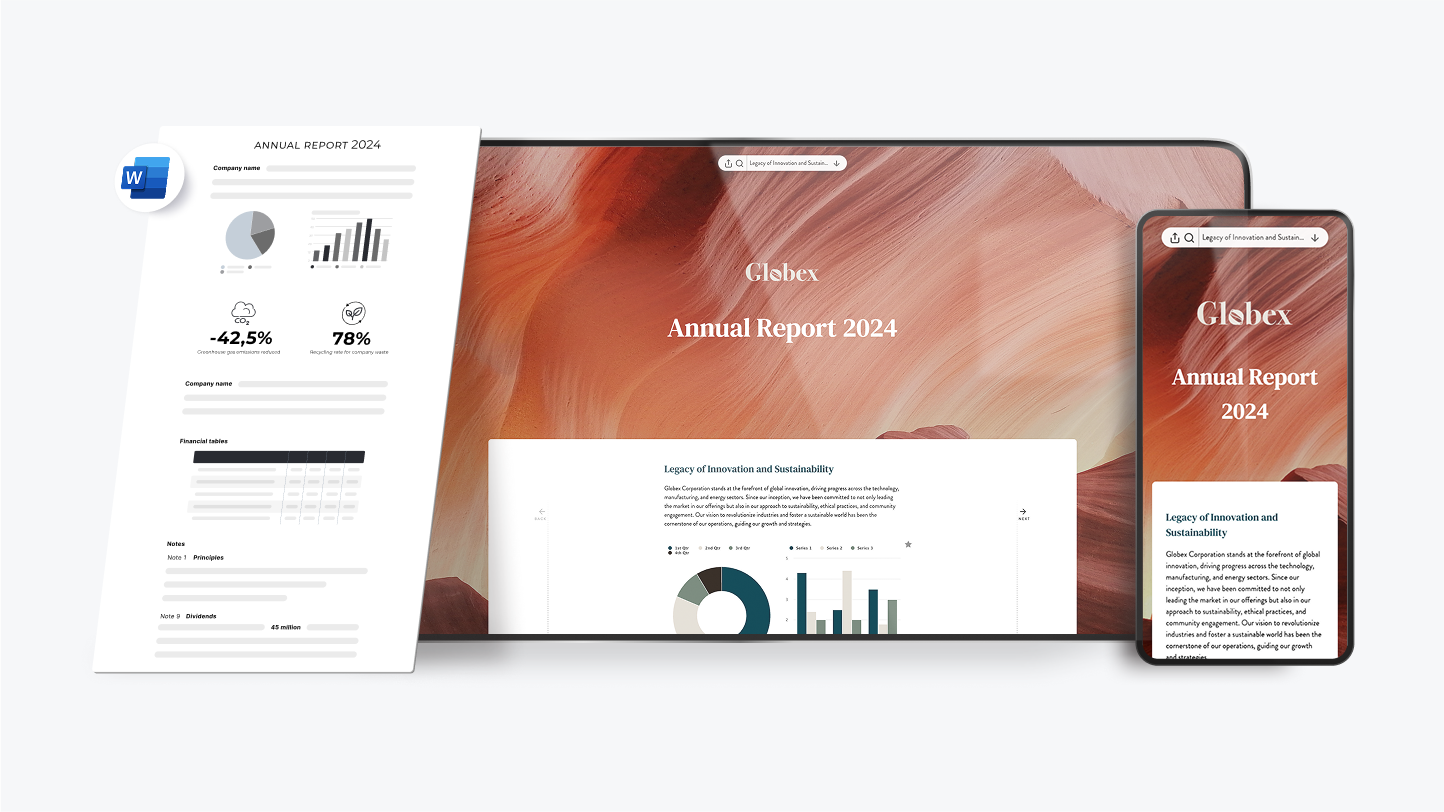
### Design is automatic — nobody to wait for
Your brand is set up once, in about 30 minutes. After that every report — annual, half-year, quarterly — comes out designed. No design software to learn, and no designer in the loop.
### Excel-linked numbers
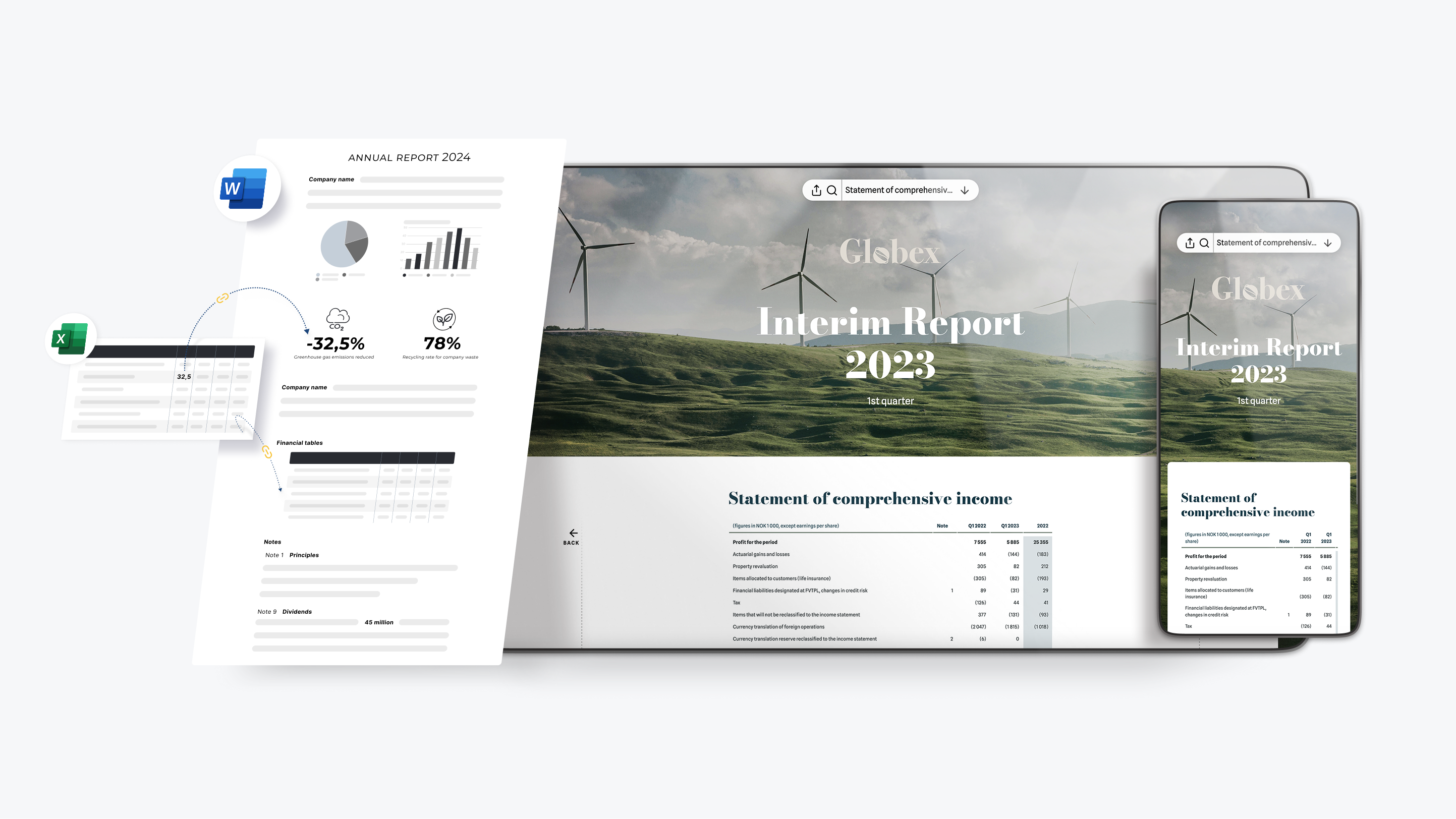
### Numbers stay linked to Excel
Excel2Word links tables and cells straight from your accounts, so a late change updates everywhere instead of being re-typed. Rollover carries the whole structure into the next period — which is why the second report costs a fraction of the first.
### ESEF tagging
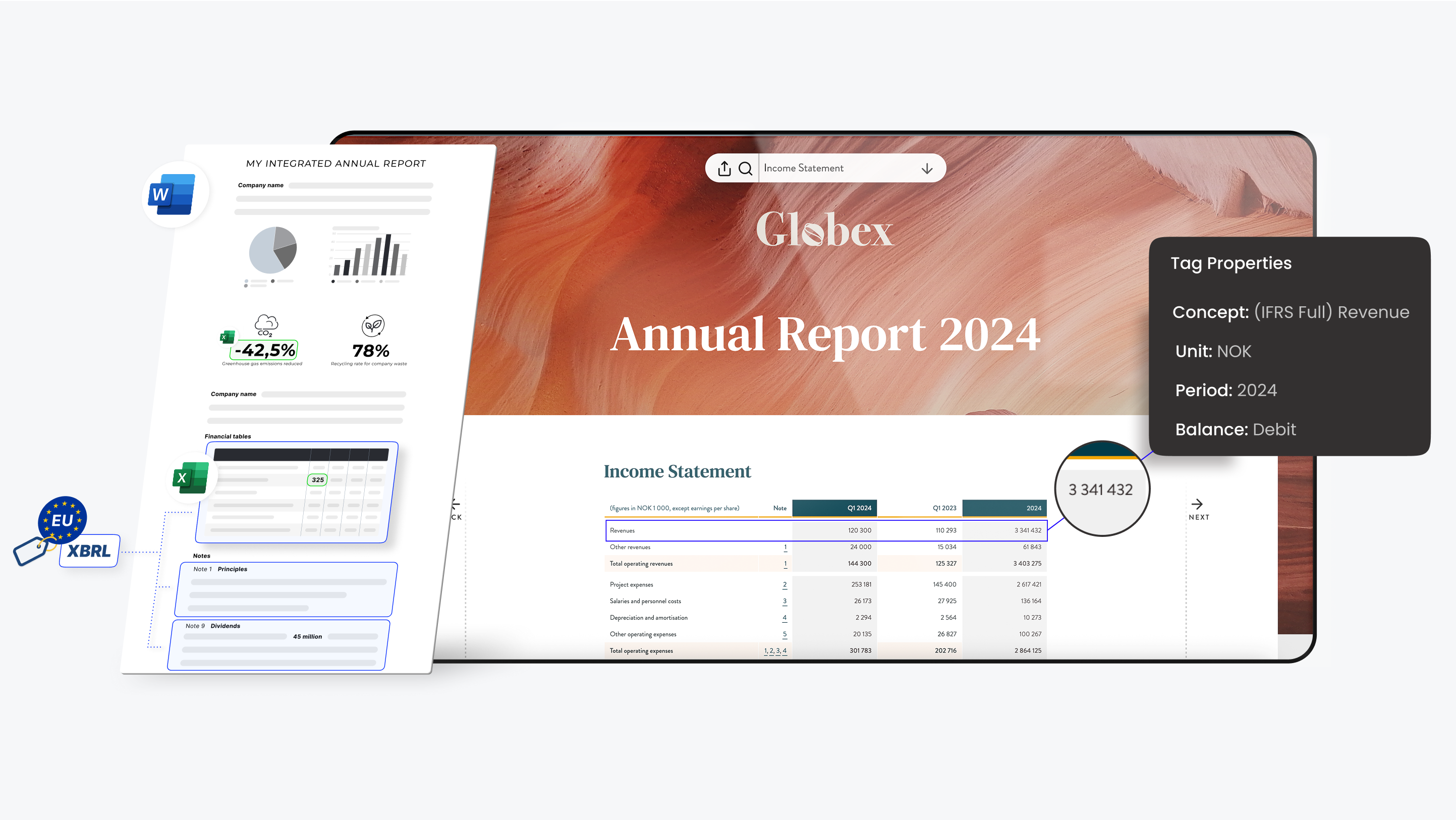
### ESEF without a separate tagging step
On the annual report, tags are applied while the report is written — not bolted onto a finished PDF at the end. The first year is a guided migration from your previous report and we do the heavy lifting; after that your tagging carries forward and stays under your control.
### Time and cost
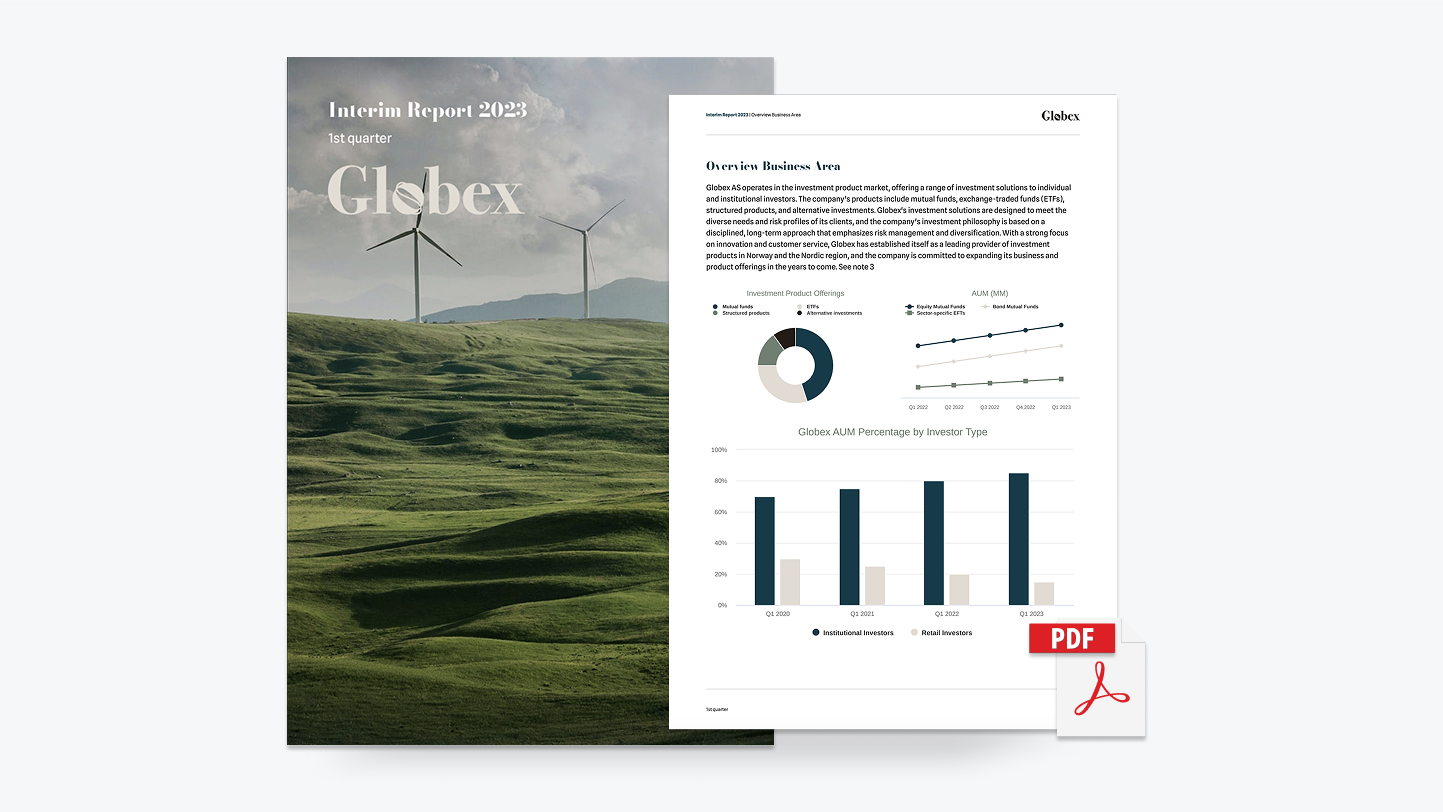
### The most time- and cost-efficient way to report
One tool instead of a designer, a tagging vendor and a consultant. Teams here cut reporting time by 70–90% — and stop paying per revision.
And yes - you get PDF export too.

### Design is automatic — nobody to wait for
Your brand is set up once, in about 30 minutes. After that every report — annual, half-year, quarterly — comes out designed. No design software to learn, and no designer in the loop.
[SEE FEATURES](https://wrepit.net/features?hsLang=en#auto-design) [LET'S CHAT](https://wrepit.net/book-a-demo?hsLang=en)

### Numbers stay linked to Excel
Excel2Word links tables and cells straight from your accounts, so a late change updates everywhere instead of being re-typed. Rollover carries the whole structure into the next period — which is why the second report costs a fraction of the first.
[VIEW DETAILS](https://wrepit.net/features?hsLang=en) [LET'S CHAT](https://wrepit.net/book-a-demo?hsLang=en)

### ESEF without a separate tagging step
On the annual report, tags are applied while the report is written — not bolted onto a finished PDF at the end. The first year is a guided migration from your previous report and we do the heavy lifting; after that your tagging carries forward and stays under your control.
[Explore EU reporting changes](https://wrepit.net/blog/could-eu-regulations-make-reporting-faster?hsLang=en) [LET'S CHAT](https://wrepit.net/book-a-demo?hsLang=en)

### The most time- and cost-efficient way to report
One tool instead of a designer, a tagging vendor and a consultant. Teams here cut reporting time by 70–90% — and stop paying per revision.
And yes - you get PDF export too.
[LET'S CHAT](https://wrepit.net/book-a-demo?hsLang=en)
### From tagging to publishing: Snowball Software Group's ESEF experience
Henrik Thoresen on his first ESEF reporting cycle with Wrepit – an intuitive setup and fast support when the auditor gave feedback in the final stretch.
### The 2026 Annual Report Checklist: 6 Steps CFO Teams Forget Every Year
Use this 6-step checklist to plan your 2026 annual reporting cycle - from data and design to compliance and publication. Built for CFO teams.
### How to Run Your First Reporting Cycle Without External Consultants
Take control of your reporting process. Learn how CFO teams can run a complete annual reporting cycle in-house - without consultants, designers, or IT projects.
FAQ
## Need clarification?
### What is Wrepit?
Wrepit is a simple, future-ready financial reporting solution built for CFO teams. It helps companies produce annual and interim reports faster - with compliance built in. More than 60 companies in Norway use Wrepit, including around 10% of those listed on the Oslo Stock Exchange, cutting reporting time by 70–90%.
### Who is Wrepit for?
Wrepit is made for finance teams with recurring reporting needs - especially companies in regulated industries or those preparing for public reporting. If your team produces reports in Excel and Word today, Wrepit fits straight into that workflow.
### How does Wrepit work?
Your team keeps writing in Word while financial data stays live and linked to Excel. Design, compliance and XBRL tagging happen as you write, so reports are accurate and publication-ready from the start - not patched together at the end.
## Waiting on your designer?
Book a free 20-minute demo and we'll walk through your actual reporting cycle — where the waiting is today, and what the same cycle looks like when there's nobody to wait for.
[Try a free demo](https://wrepit.net/book-a-demo?hsLang=en) [Or have an exploratory chat](mailto:sales@wrepit.no)
[](https://wrepit.net)
Universitetsgata 2
0164 Oslo, Norway
- [Case Studies](https://wrepit.net/case-studies?hsLang=en)
- [Who are we?](https://wrepit.net/about-us?hsLang=en)
- [Blog](https://wrepit.net/blog?hsLang=en)
- [Changelog](https://portal.wrepit.net/changelog)
- [Portal FAQ](https://wrepit.net/faq/portal?hsLang=en)
- [Security FAQ](https://wrepit.net/faq/security?hsLang=en)
- [Contact](https://wrepit.net/contact?hsLang=en)
© 2026 Wrepit AS (NO 821 430 232 MVA)
[Privacy Policy](https://wrepit.net/privacy?hsLang=en) [Terms of Service](https://wrepit.net/terms?hsLang=en)
```json
{
"@context" : "https://schema.org",
"@type" : "VideoObject",
"contentUrl" : "https://25673672.fs1.hubspotusercontent-eu1.net/hubfs/25673672/great-looking-wrepit-reports-on-mobile.mp4",
"dateModified" : "2025-12-18T13:59:32.343Z",
"description" : "Carousel of different example reports showcasing animated KPI's and interactive tables, plus more.",
"duration" : "PT23.083S",
"height" : 1280,
"name" : "Great looking Wrepit reports on mobile",
"thumbnailUrl" : "https://25673672.fs1.hubspotusercontent-eu1.net/hubfs/25673672/great-looking-wrepit-reports-on-mobile.mp4/medium.jpg",
"uploadDate" : "2023-11-10T09:07:29.159Z",
"width" : 700
}
```
```json
{
"@context" : "https://schema.org",
"@type" : "VideoObject",
"contentUrl" : "https://25673672.fs1.hubspotusercontent-eu1.net/hubfs/25673672/the-simple-future-ready-financial-reporting-solution.mp4",
"dateModified" : "2025-12-18T13:56:30.887Z",
"description" : "Wrepit helps CFO teams create compliant financial and sustainability reports faster. Automate design, ensure ESEF and CSRD compliance, and save 70–90% of reporting time.",
"duration" : "PT24.363S",
"height" : 1792,
"name" : "The simple, future-ready Financial Reporting solution",
"thumbnailUrl" : "https://25673672.fs1.hubspotusercontent-eu1.net/hubfs/25673672/the-simple-future-ready-financial-reporting-solution.mp4/medium.jpg",
"uploadDate" : "2023-11-09T12:07:55.831Z",
"width" : 3496
}
```
```json
{
"@context" : "https://schema.org",
"@type" : "Organization",
"address" : {
"@type" : "PostalAddress",
"addressCountry" : "NO",
"addressLocality" : "Oslo",
"postalCode" : "0164",
"streetAddress" : "Universitetsgata 2"
},
"contactPoint" : {
"@type" : "ContactPoint",
"contactType" : "sales",
"email" : "support@wrepit.no",
"url" : "https://wrepit.net/book-a-demo"
},
"description" : "Financial reporting software that lets CFO teams create professional annual and interim reports without consultants, designers, or IT projects.",
"foundingDate" : "2018",
"legalName" : "Wrepit AS",
"logo" : "https://wrepit.net/hs-fs/hubfs/Wrepit%20logo%20bla.png",
"name" : "Wrepit",
"sameAs" : [ "https://www.linkedin.com/company/wrepit/", "https://facebook.com/wrepit/" ],
"url" : "https://wrepit.net"
}
```